Trezor.io/start: Begin Your Crypto Adventure Safely
Official guide to setting up your Trezor wallet and Trezor Suite for secure cryptocurrency management.
What is Trezor.io/start?
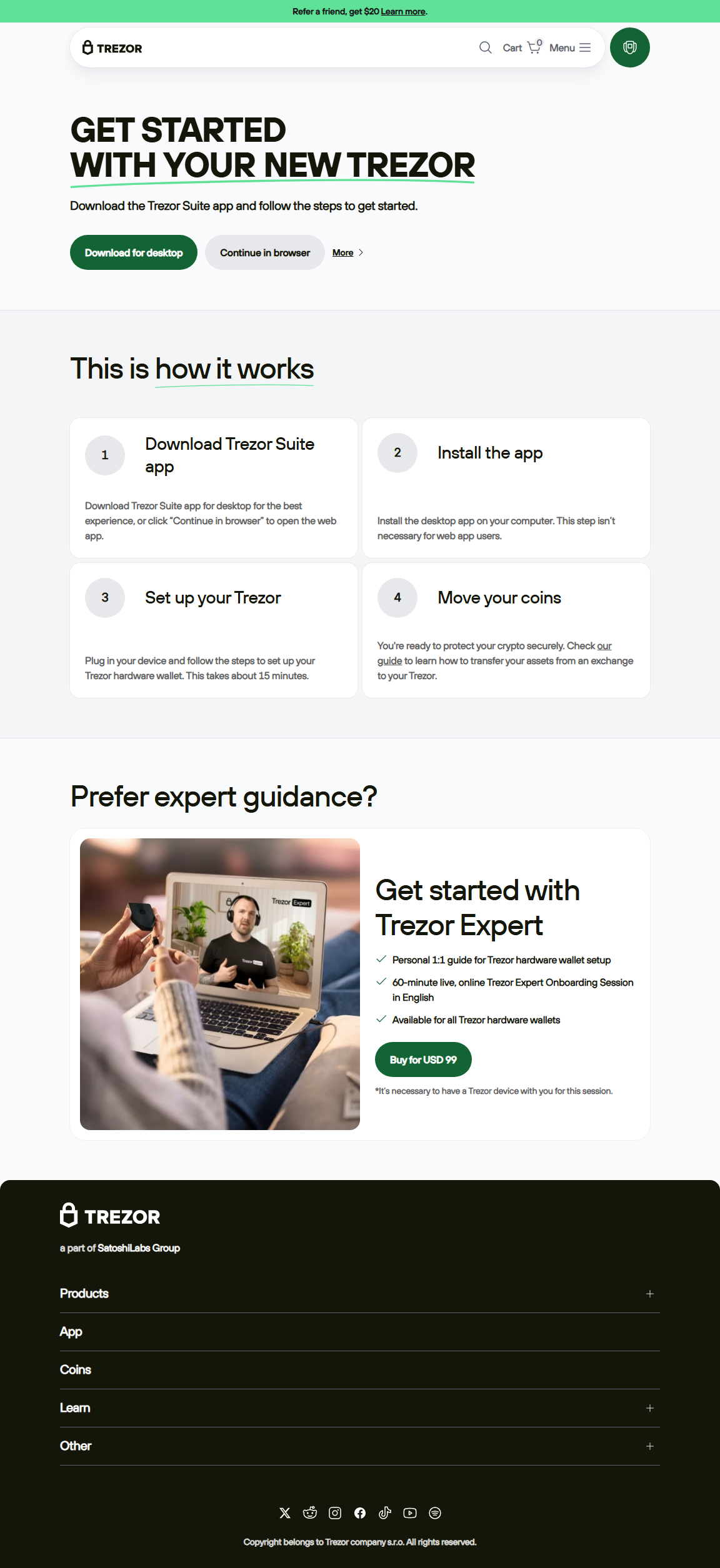
Trezor.io/start is the official onboarding portal for Trezor hardware wallets. It provides step-by-step instructions to initialize your device, create a secure PIN, generate your recovery seed, and connect your wallet to Trezor Suite.
Following this official guide ensures maximum security for your digital assets and introduces beginners and intermediate users to the full potential of Trezor hardware wallets.
Step-by-Step Setup via Trezor.io/start
Step 1: Visit Trezor.io/start
Open your browser and navigate to Trezor.io/start. This ensures you are accessing official instructions and downloads for your Trezor device.
Step 2: Install Trezor Suite
Download the Trezor Suite application for desktop or mobile. Trezor Suite is the hub for managing wallets, sending and receiving crypto, staking, and monitoring your portfolio securely.
Step 3: Initialize Your Device
Follow on-device instructions to create a PIN and generate your recovery seed. Write your recovery seed on the provided card and store it safely offline.
Step 4: Connect to Trezor Suite
Link your device to Trezor Suite. This allows you to manage multiple accounts, access DeFi apps, and interact with NFTs securely.
🔒 Security Best Practices
- Always use the official Trezor.io/start page for setup.
- Never share your recovery seed or PIN.
- Confirm all transactions directly on the Trezor device.
- Keep device firmware and Trezor Suite up-to-date.
- Be vigilant against phishing websites or unverified guides.
Advanced Features After Setup
Multi-Account Management
Trezor Suite allows you to manage multiple wallets from a single device, making it easy to separate funds for trading, long-term storage, or staking.
DeFi and NFT Integration
Securely interact with supported decentralized apps and NFT marketplaces while keeping private keys offline.
Device Authentication
All critical actions, including sending crypto and logging in, require confirmation directly on the Trezor hardware wallet, ensuring your assets remain secure.
Trezor.io/start vs Other Setup Guides
| Feature | Trezor.io/start | Other Guides |
|---|---|---|
| Official Source | Yes | Varies |
| Security Guidance | Comprehensive | Limited or inconsistent |
| Ease of Use | Beginner-friendly | Inconsistent |
Frequently Asked Questions
Is Trezor.io/start safe?
Yes. It is the official starting point for Trezor wallets and Trezor Suite setup.
Do I need crypto experience?
No. The guide is designed for beginners and intermediate users alike.
What if I lose my recovery seed?
Your recovery seed is essential to access your funds. Store it securely offline. Losing it can result in permanent loss of access.
Can I manage multiple accounts?
Yes. Trezor Suite allows multiple accounts under a single device after setup.
Final Thoughts
Trezor.io/start is the safest, most reliable way to begin your crypto journey. Following the official setup steps ensures your digital assets are secure and gives you full control over your Trezor hardware wallet.
Start today at Trezor.io/start and manage your cryptocurrency with confidence!